How To Start 4runner With Dead Key Fob – Complete Guide
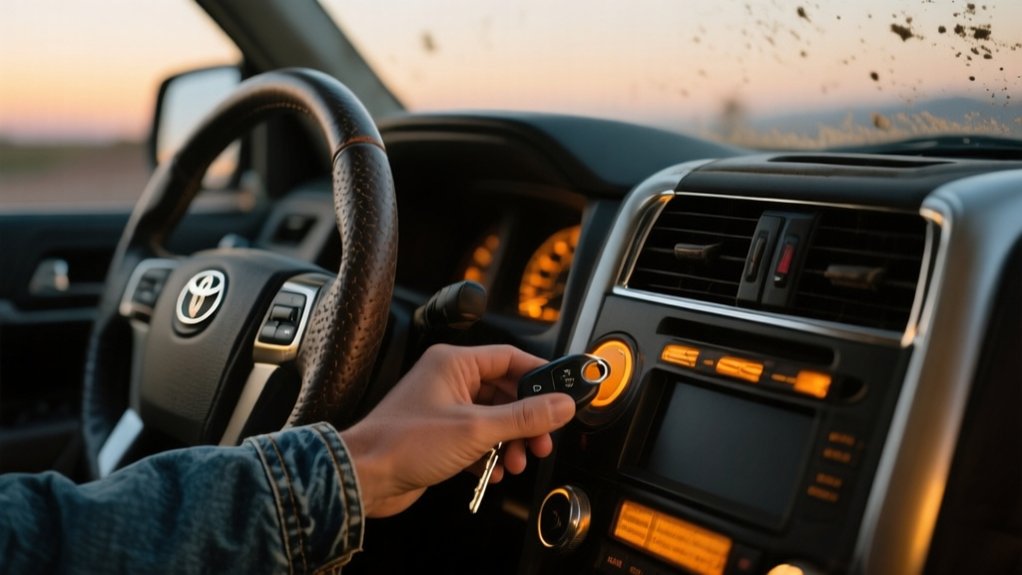
To start your 2023 Toyota 4Runner with a dead key fob, just place the fob in the designated slot near the push start button while pressing the brake.
If that doesn’t work, use the mechanical key to manually open the driver’s door, then try starting again.
Make sure to replace the fob battery promptly and check that it’s oriented correctly.
If you keep having issues, you’ll need professional locksmith programming to restore the smart key functions.
Following these steps carefully will help you avoid lockouts and get back on the road quickly.
Key Takeaways
- Place the dead key fob in the designated slot near the start button to enable manual engine starting.
- Ensure your foot is firmly on the brake pedal before pressing the start button with the fob in place.
- If the engine doesn’t start, replace the key fob battery promptly and retry the starting process.
- Use the emergency mechanical key to manually unlock the driver’s door if electronic access fails.
- Contact a professional locksmith if the 4Runner still won’t start after battery replacement and manual key use.
Start Your 2023 Toyota 4Runner With a Dead Key Fob

To start your 2023 Toyota 4Runner with a dead key fob, first place the fob in the designated slot near the start button. This helps the vehicle’s ignition system detect the fob even if the battery is dead.
Make sure your foot is firmly on the brake pedal before pressing the start button, as this activates the push-button start system’s safety feature. If the engine doesn’t start, try removing the battery from your keyless entry remote fob and replacing it with a new one.
If it still doesn’t work, you might need to reprogram the smart key remote functions or check your owner’s manual for the emergency start procedure. For persistent problems, it’s best to contact a professional locksmith to diagnose any faults with your key fob system.
Use the Emergency Mechanical Key to Unlock Your Door
To find the emergency mechanical key, just slide the release button on the side of your key fob. Once you have it, insert the key into the driver’s door lock and turn it to open the door manually. This is a handy trick to get into your 4Runner if the key fob battery runs out of juice.
Locate Mechanical Key
The emergency mechanical key, hidden inside your key fob, is a useful backup if the fob’s battery dies. To find it, look for a small release latch or button on the side or back of the fob.
Slide or press this release to detach the mechanical key from the fob housing. This small key allows you to manually open your door if the electronic functions aren’t working.
After using the mechanical key to get in, make sure to replace the key fob battery quickly. This restores full remote features and helps you avoid future lockouts.
Keep the mechanical key accessible inside the fob. That way, you’ll always have a way to access your 4Runner when the key fob’s battery is dead.
Unlock Door Manually
Although your key fob’s battery might be dead, you can still access your 4Runner manually using the emergency mechanical key stored inside the fob. Slide the release button on the fob’s side to pull out the mechanical key.
Insert this key into the keyhole on the driver’s door handle to open the door, bypassing the electronic system. Use the mechanical key only on the driver’s side door; other doors won’t open until you manually operate them from inside.
Once you’re inside, press the brake pedal and hold the dead key fob near the start button to activate NFC technology and start the engine. This method ensures you can open and enter your 4Runner reliably even with a dead key fob battery.
Why Holding Your Key Fob to the Start Button Works

Two key factors explain why holding your key fob to the start button works: Near Field Communication (NFC) technology and direct signal transmission.
Your fob emits a signal that bypasses the dead battery by communicating directly with the push button start system when held very close. This proximity trigger ensures the vehicle recognizes your fob even if the battery is dead.
Holding your fob close lets it bypass a dead battery and communicate directly with the start system.
This allows the engine to start despite the battery issue. Just remember, you usually need to be within a few inches for this method to work.
Use this as an emergency backup to start your 4Runner when the fob’s battery is dead.
Replace Your Dead Key Fob Battery Step-by-Step
First off, you’ll want to figure out what kind of battery your 4Runner’s key fob needs. Most of the time, it’s a CR2032 or CR2025. Once you’ve got that sorted, grab a flathead screwdriver and gently pry open the fob. Be careful not to force it—just enough to open it up without damaging anything.
After the fob is open, carefully remove the old battery and take note of which way it was facing. When you’re ready to put in the new battery, make sure the positive side is facing the right way—that’s usually facing up or out, but double-check if you’re unsure. Finally, snap the fob back together securely, and you’re all set!
Battery Type Identification
To identify the correct battery type for your 2022 Toyota 4Runner key fob, start by checking the owner’s manual or inspecting the fob itself for a battery label. Most Toyota key fobs use either a CR2032 or CR2016 lithium battery.
These batteries are easy to find at electronics stores or online. It’s important to accurately identify the battery type to replace it correctly and ensure your key fob works properly.
Make sure to note the exact battery type before you buy a replacement. Using the wrong battery can cause operational issues and might damage the fob.
Once you’ve identified the right battery, purchase the exact model to keep your key fob functioning well and lasting longer. This step helps you prepare for a safe and smooth battery replacement process.
Safe Battery Removal
After figuring out the correct battery type for your 2022 Toyota 4Runner key fob, you’ll want to remove the dead battery safely before putting in the new one. Here’s how to do it carefully:
Locate the small slot on the side of the key fob and gently pry it open using a flat tool or coin. Be careful not to damage the casing.
Carefully lift out the old battery, paying attention to its orientation. This step is important for proper programming and functionality after you swap it.
Try not to touch the battery terminals directly, as static discharge could affect the programming.
Dispose of the old battery properly and make sure the inside of the key fob is clean before installing the new battery.
Following these steps will help you remove the battery safely without messing up the key fob’s programming or performance.
Installing New Battery
Replacing the battery in your 2022 Toyota 4Runner key fob requires careful attention to orientation and handling. Start by finding the small slot on the side of the Remote Fob Smart Key and gently pry it open.
Remove the old battery carefully with a flathead screwdriver or similar tool, being careful not to damage any internal parts. Make sure you have the correct replacement battery, usually a CR2032, and take note of the positive (+) and negative (-) terminals.
Insert the new battery, ensuring it sits properly in the compartment. Snap the key fob back together securely. Finally, test the Remote Fob Smart Key by pressing the lock or release buttons to confirm it’s working.
Handling everything carefully during this process helps ensure your key fob functions reliably.
Understand Why Your 4Runner Won’t Start With a Dead Fob
Although your 4Runner’s push button start system depends on the key fob’s signal to turn on the ignition, a dead fob battery can block this communication and keep the engine from starting. When your fob isn’t working, here’s what you should know:
First, the keyless entry system needs an active signal from the fob for the engine to turn over. If the battery in your fob is dead, it can’t send that signal anymore.
Some 4Runner models have NFC support, which might allow you to start the car if the dead fob is nearby. But this feature isn’t available on all models, so check your vehicle’s specs.
A faulty brake pedal switch can also stop your car from starting, no matter what’s happening with the fob.
Regularly checking your fob battery can help you avoid these issues and ensure your 4Runner starts reliably every time.
When to Contact a Locksmith for Key Fob Programming
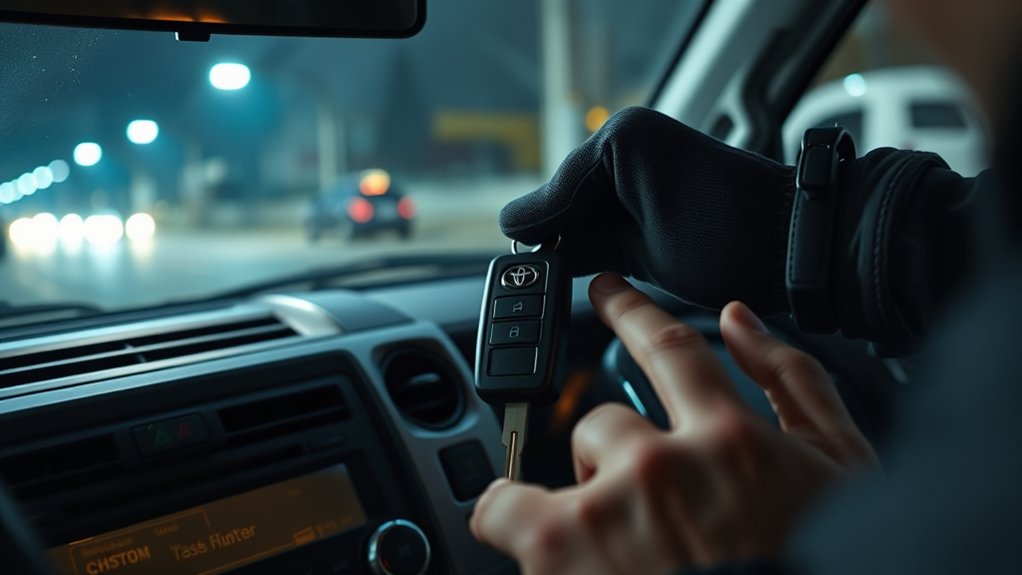
If your 2023 Toyota 4Runner won’t start even after replacing the key fob battery, it’s time to call a locksmith who specializes in automotive key programming. A professional locksmith has the right tools to program smart key fobs and restore communication with your vehicle’s immobilizer system.
If your 2023 4Runner won’t start after a key fob battery change, call a specialized automotive locksmith.
Don’t try to reprogram the fob yourself if issues continue. Improper procedures can lock your system or cause more problems. It’s best to choose a locksmith experienced with Toyota models, especially the 2023 4Runner, to ensure they can handle its specific programming needs.
Many locksmiths can program multiple smart key fobs at once, which is helpful if you need extra keys. Reach out promptly when your vehicle won’t respond to avoid unnecessary downtime and keep your vehicle secure.
Their expertise guarantees precise and reliable key fob programming tailored specifically for your 4Runner.
Prevent Lockouts From Key Fob Failures
To prevent lockouts caused by key fob failures, it’s important to regularly check and replace your fob’s battery before it gets too weak. Keeping your keyless system reliable helps you avoid getting stranded.
You should replace the key fob battery every 12-18 months or as soon as the low battery indicator shows up. It’s also a good idea to store a physical backup key somewhere secure, so you can still access your 4Runner if the fob stops working.
Learn the manual start procedure by placing the fob near the start button. This can help you bypass dead battery issues and start your vehicle when needed. Additionally, keep your key fob away from electronic devices that can cause signal interference, or consider using a signal-blocking pouch.
If you keep having problems with your key fob, don’t hesitate to contact a locksmith nearby. They can help with maintenance or reprogramming to keep everything working smoothly.
Troubleshoot Push Button Start Problems
Start troubleshooting push-button start problems by making sure you fully press down the brake pedal, as the system needs this to recognize the ignition signal. If the dashboard asks you to press the brake, try pumping the pedal to check if it engages properly.
Next, check that your key fob is within range of the start button. Distance or interference can block the signal, so keep the fob close. Also, examine the key fob battery and replace it if it’s weak, since a low battery can disrupt communication with the vehicle’s ignition.
For intermittent issues, inspect the brake switch connections for any carbon buildup and clean them if needed. Finally, test your vehicle’s battery health because low voltage can prevent the push-button start from working. Avoid reprogramming unless you’ve tried all these troubleshooting steps first.
Save Time and Money With Professional Programming Services
Save time and avoid costly mistakes by trusting professional programming services for your 2022 Toyota 4Runner. The process of programming Key Fobs can be complicated and requires specialized equipment that isn’t available for DIY attempts.
Hiring a pro ensures your smart key fobs are programmed accurately and meet manufacturer standards. Here’s why going with expert help is a smart move:
- You get access to specialized tools needed for 4Runner Key Fob programming.
- Multiple key fobs can be programmed efficiently at the same time.
- It reduces the chances of errors that could cause system issues.
- It guarantees that the programming will last longer and keep your Key Fob working properly.
Frequently Asked Questions
Can a Dead Key Fob Affect My 4runner’s Alarm System?
Yes, a dead key fob can affect your 4Runner’s alarm system. When the fob’s battery dies, the vehicle might not recognize the signal, which can keep the alarm active and stop the engine from starting.
To work around this, try placing the dead fob close to the start button. This can help the system temporarily detect it.
Make sure to replace the battery soon to prevent the alarm from triggering and to keep your security system working smoothly.
How Long Does a Key Fob Battery Usually Last?
Your key fob battery usually lasts between 2 to 4 years, kind of like a fading flame signaling it’s time for a replacement.
You’ll notice reduced range and multiple access attempts when it weakens. Factors like frequent remote use and harsh climates can shorten its life.
To keep your 4Runner responsive, replace the lithium coin battery promptly. Always carry a spare so you’re never barred from entry or stranded unexpectedly.
Can I Use a Universal Key Fob for My 4runner?
You generally can’t use a universal key fob with your 4Runner. These vehicles need specific programming, frequencies, and encryption that universal fobs don’t have.
Without the OEM key fob or one programmed by a dealership or professional locksmith, you’ll run into issues with remote start, keyless entry, or ignition.
For reliable operation, it’s best to get a compatible key fob made specifically for your 4Runner and have it properly programmed to your vehicle’s security system.
Is It Safe to Drive With a Weak Key Fob Battery?
Driving with a weak key fob battery is like walking a tightrope. You can do it, but one slip leaves you stranded.
You can start and drive your 4Runner, but the fob’s reduced range and intermittent signal may cause unexpected lockouts or failure to start.
Replace the battery promptly to avoid these risks. Always keep a fresh battery handy and test your fob regularly to guarantee reliable vehicle access and operation.
How Do I Program a Spare Key Fob Myself?
You can’t program a spare key fob for a 2022 Toyota 4Runner yourself because it needs specialized diagnostic tools and software only available at dealerships or with certified locksmiths.
Trying to do it yourself won’t sync the fob with your vehicle’s immobilizer system.
First, check if your spare fob is compatible. Then, schedule an appointment with a professional who can program multiple fobs at once, ensuring everything works properly.
Conclusion
Starting your 2023 Toyota 4Runner with a dead key fob isn’t a dead end. It’s just a detour you can navigate.
Use the emergency mechanical key, hold the fob to the start button, or replace the battery to breathe life back into your ride.
Remember, when technology stalls, patience and a little precision will get you through.
Keep your tools ready, troubleshoot smartly, and don’t hesitate to call a locksmith if needed.
With these steps, you’ll always hold the key to the road.