How To Unlock 4runner Without Keys – Beginner’s Guide
If you’re locked out of your 4Runner without keys, start by checking for spare keys or using your key fob app if compatible.
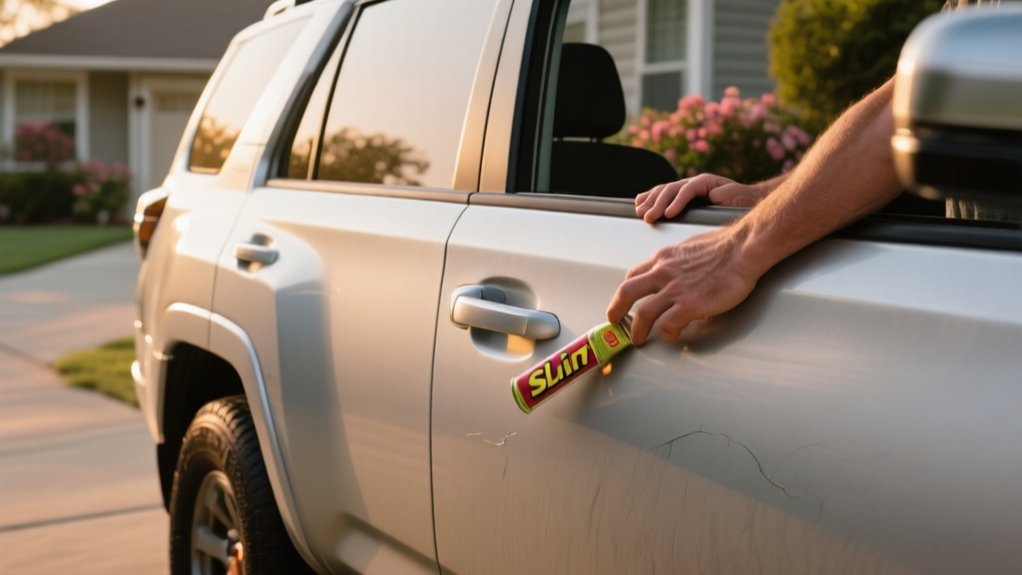
If electronic methods fail, try manually opening with a slim jim or wedge and rod, taking care to avoid damage.
For advanced security systems or uncertainty, calling a locksmith is wise.
You can also improve security and prevent future lockouts by duplicating keys and using keyless entry upgrades.
Investigate these options to secure your vehicle effectively.
Key Takeaways
- Check for spare keys with family, friends, or hidden compartments before attempting other methods.
- Use a slim jim or coat hanger carefully to manually unlock if the door frame gap is accessible.
- Try wedge and rod method to create space and manipulate the lock mechanism without causing damage.
- Use compatible smartphone apps to remotely unlock the 4Runner if remote access is enabled and vehicle is connected.
- Call a professional locksmith if manual or electronic methods fail or risk damaging the vehicle’s security system.
Checking Spare Keys and Keyless Entry Options
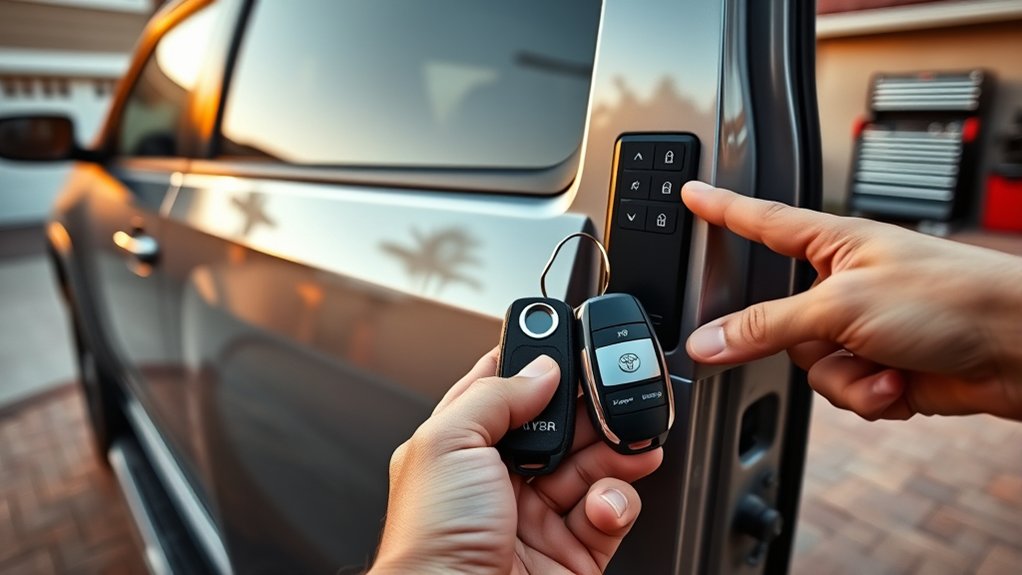
Where should you begin when you’re locked out of your 4Runner? Start by locating any spare keys you might have. Check with family members, friends, or your vehicle’s storage compartments if you’ve hidden a backup.
Begin by searching for any spare keys with family, friends, or hidden in your vehicle before taking further steps.
If you have a key fob with keyless entry, test its functions to open the doors remotely. Make sure the fob’s battery isn’t dead; a weak battery often causes it to be unresponsive.
If your 4Runner supports Toyota’s Smart Key System, verify that your proximity sensors are working properly. Just approach the vehicle with the fob and see if it recognizes you.
Some models also let you access the vehicle via a connected smartphone app. Check if you’ve set up this service, as it can be a handy way in without manual tools or calling a locksmith.
Manual Unlocking With Slim Jim or Coat Hanger
If spare keys and electronic entry methods aren’t available or fail to access your 4Runner, you can try manual entry tools like a slim jim or a coat hanger.
First, verify the vehicle’s window is slightly open or the door frame gap is accessible. Insert the slim jim or a straightened coat hanger between the weather stripping and the window.
Carefully feel for the lock mechanism or control rods inside the door panel. With steady, controlled movements, maneuver the tool to catch the lock rod or lever and pull it upward to open the door.
Avoid forcing the tool, as this can damage the internal components or weather stripping. Practice patience and precision to successfully gain entry to your 4Runner without damaging the door’s internal mechanisms.
Using a Wedge and Rod to Unlock Your 4Runner Door
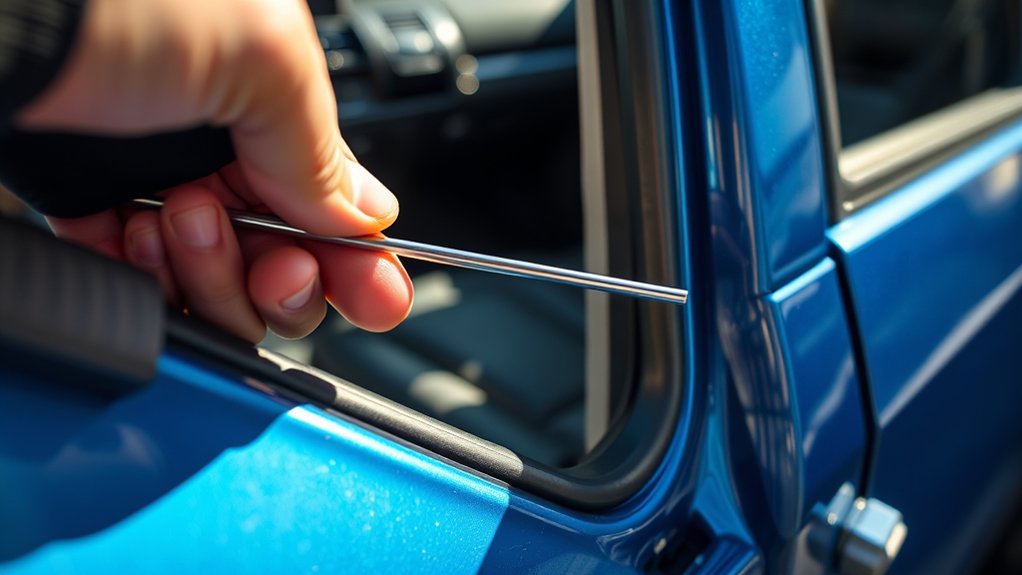
Start by creating enough space between your 4Runner’s door and frame using a wedge tool, such as a plastic or wooden shim. Carefully pry the door open just enough to insert a long, slender rod. Place the wedge at the top corner of the door to avoid damaging weatherstripping or paint.
Once you’ve got a gap, slide the rod inside, aiming to reach the interior door lock mechanism or the lock button. Use controlled pressure and gentle movements to manipulate the lock, either by pushing or pulling the control. Avoid using excessive force to prevent damage to internal parts.
This method requires patience and a steady hand, but it’s effective if you do it carefully. Always make sure the rod stays straight and avoid bending it, so it doesn’t get stuck inside the door panel.
Unlocking With Smartphone Apps and Remote Services
You can unlock your 4Runner using compatible smartphone apps that connect to your vehicle’s remote services. Just make sure the remote access feature is turned on—check your vehicle’s settings or the manufacturer’s portal to confirm.
Compatible Smartphone Apps
Many 4Runner owners rely on compatible smartphone apps to access their vehicles remotely, making use of modern connectivity and security protocols. These apps connect directly with your vehicle’s telematics system, so you can lock, unlock, and monitor your 4Runner securely.
To get the most out of these apps, make sure your model supports remote connectivity and that you’ve registered your vehicle with the manufacturer’s service platform. Popular options include:
- Toyota App: The official app that offers remote lock and unlock, vehicle status updates, and notifications.
- MyT Mobile: Provides comprehensive control and security features, especially for newer 4Runner models.
- Third-Party Remote Services: Apps like CarLock or Viper SmartKey can also work via OBD-II devices for extra functionality.
Using these apps requires a stable internet connection and proper vehicle setup to ensure security and smooth operation.
Activating Remote Unlock Features
Although setting up remote access features might seem tricky, activating them on your 4Runner is simple once your smartphone app and vehicle are paired correctly.
Start by opening the manufacturer’s app or a compatible third-party service for your 4Runner model. Make sure your vehicle is connected to cellular or Wi-Fi networks for real-time updates.
Navigate to the remote release section in the app, then log in with your credentials or use biometric verification. When you tap the release button, the app sends a secure signal to your vehicle’s onboard system.
This triggers the door locks to disengage. You can confirm the release status through app feedback or vehicle indicators. Remember to keep the app and firmware updated to ensure everything keeps working smoothly.
This method offers reliable, keyless entry without physical keys, as long as your setup was completed correctly in advance.
Security Considerations for Apps
Integrating smartphone apps and remote services to access your 4Runner introduces new potential security risks. You need to protect against unauthorized access by using strong authentication and keeping your software updated.
Always stick to apps provided or endorsed by Toyota to avoid malicious software. Remember, a compromised app could give attackers control over your vehicle.
Key security tips include using two-factor authentication (2FA) for extra security beyond just passwords. Make sure to regularly update both the app and your smartphone’s OS to fix vulnerabilities.
Be cautious when connecting via Wi-Fi or Bluetooth. It’s best to avoid public networks when accessing your vehicle remotely to keep your data safe.
Avoiding Damage When Unlocking Without Keys
To get into your 4Runner without keys and avoid damage, use the right tools and take your time. Don’t force tools or use sharp objects that could scratch or bend the lock.
Stick to non-invasive methods like a slim jim or inflatable wedge. Work slowly to prevent damage to the lock or electrical systems.
| Tool Type | Risk Level | Usage Tip |
|---|---|---|
| Slim Jim | Moderate | Gently insert it between the window and weatherstripping |
| Inflatable Wedge | Low | Gradually create space to insert your tools without pressure |
| Coat Hanger | High | Avoid using it to prevent scratches or lock jams |
Using the right tools with patience helps prevent costly repairs and keeps your 4Runner in good shape.
When to Call a Locksmith (And What to Expect)
When should you call a locksmith to gain entry to your 4Runner? If your attempts to open the vehicle without keys fail or risk damage, it’s time to call a professional. Locksmiths have specialized tools and expertise to handle modern vehicle locks, including electronic key fobs and immobilizers.
Call a locksmith when unlocking your 4Runner risks damage or fails to work with standard methods.
Consider reaching out to a locksmith if:
- Your 4Runner has advanced security systems that DIY methods can’t bypass safely.
- You’ve tried manual opening techniques without success or caused minor damage.
- You need quick, guaranteed entry without risking costly repairs.
Expect the locksmith to assess your vehicle’s locking mechanism, use non-destructive tools, and ask for proof of ownership before proceeding. Their professional approach minimizes damage and ensures you regain entry efficiently and securely.
Preventing Future Lockouts and Protecting Your 4Runner
To avoid getting locked out in the future, it’s a good idea to have a solid plan for your keys. For example, keep spare keys in safe but accessible spots—maybe with a trusted friend or in a secure lockbox. That way, you’re not stuck if you lose or forget your main key.
Also, upgrading your 4Runner’s security features can make a big difference. Features like remote keyless entry or smart locks can give you extra peace of mind and make unlocking your vehicle more convenient. Taking these simple steps now can save you a lot of hassle down the road, and ultimately keep your vehicle safer and more accessible whenever you need it.
Key Duplication Strategies
Several effective key duplication strategies can help reduce the risk of lockouts and make your 4Runner more secure. First, always use a professional locksmith or authorized dealer to duplicate your keys so the transponder chip is programmed correctly.
Second, create multiple duplicates and store them in secure, easy-to-access places. This way, you’ll have reliable backups if you ever need them in an emergency.
Finally, label your keys discreetly to avoid confusion, but don’t include any sensitive information that could help someone steal your vehicle.
Security System Enhancements
Building on key duplication strategies, improving your 4Runner’s security system is crucial for preventing lockouts and protecting your vehicle. Start by adding a reliable keyless entry system with encrypted signals to reduce dependence on physical keys.
Think about installing a smart immobilizer that disables the engine start unless proper authentication is provided. This makes it harder for thieves to steal your vehicle and keeps unauthorized people out.
Make sure to regularly update your vehicle’s firmware. This helps patch any vulnerabilities in electronic locks and security modules, keeping your system secure. It’s a simple step that can prevent potential hacking issues.
Set up a backup access method, like a secure app-based override or biometric authentication. That way, you can always regain entry if the standard systems fail or if you lose your keys.
Lastly, keep your security components in good shape by running diagnostics regularly. This helps detect faults early and ensures everything works smoothly, giving you peace of mind.
All these upgrades work together to reduce lockout risks and make your 4Runner more resistant to theft and accidental lock-ins.
Frequently Asked Questions
Can I Unlock My 4runner With a Universal Car Key?
You generally can’t unlock your 4Runner with a universal car key because modern vehicles use transponder chips and encrypted signals unique to each key.
Universal keys don’t have this security coding, so they won’t communicate properly with your vehicle’s immobilizer system.
Your best bet is to contact a professional locksmith or your dealership. They can create a programmed key or use specialized tools to safely gain entry without damaging your vehicle.
Does Unlocking Without Keys Affect My Vehicle Warranty?
Imagine you’re fixing a watch with the wrong tool. It might work, but you risk damaging delicate parts.
Similarly, gaining access to your 4Runner without keys can void your vehicle warranty if it involves damaging locks or electronic systems.
Manufacturers often exclude warranty coverage for issues caused by improper entry methods.
To protect your warranty, always use authorized locksmiths or dealership services that follow manufacturer-approved procedures.
Are There Legal Risks to Unlocking My 4runner Without a Key?
Yes, there are legal risks if you try to unlock your 4Runner without a key, especially if you don’t own the vehicle or don’t have proper permission.
Trying to access the vehicle without authorization can be considered breaking and entering or theft. Even if it’s your own car, using the wrong methods might break local laws or cause damage.
This could lead to legal trouble or liability issues. To stay safe, make sure you have proof of ownership and consider calling a professional locksmith. They can help you unlock the vehicle legally and safely.
Can a Dead Battery Prevent Unlocking With Smartphone Apps?
Ever tried to access your 4Runner with a smartphone app only to get no response? Yes, a dead battery in your vehicle can prevent the app from communicating with the car’s electronic systems.
The app relies on the vehicle’s power to receive signals, so if the battery’s dead, the system won’t respond. To fix this, jump-start the battery or replace it, then try accessing again.
How Do I Reset My 4runner’s Keyless Entry System After Lockout?
To reset your 4Runner’s keyless entry system after a lockout, start by closing all the doors.
Insert the key into the ignition and turn it to the “On” position without starting the engine.
Press and hold the lock button on your key fob for about 15 seconds. Release it, then turn the ignition off.
This process syncs the system and restores your keyless entry functionality.
If it doesn’t work, check your owner’s manual or contact a dealer for help.
Conclusion
Just like a seasoned locksmith wields precision tools, you too can gain access to your 4Runner without keys by following these proven methods carefully.
Remember, patience and the right technique prevent costly damage and frustration.
When in doubt, calling a professional is your safest bet. By preparing today—spare keys, keyless options, or smart apps—you’ll avoid the proverbial “locked out in the rain” scenario.
Keep your 4Runner secure and accessible every time.