What to Do If Someone Threatens to Leak Pictures: 9 Essential Steps to Protect Yourself
Facing threats to share private pictures is really tough. The best step is to keep your cool and not react with panic. First, don’t respond with emotions or agree to their demands.
Next, secure any evidence of the threats right away. Save messages, emails, or screenshots that show what’s happening. This helps you prove the threat later if needed.
Contact a trusted friend or family member for support and guidance. Sharing the situation can reduce stress and help plan your next steps.
Protect your online accounts by changing passwords and tightening privacy settings. This step cuts down the chance of more damage or leaks. Dealing with these threats bit by bit helps you keep control of the situation.
Key Takeaways
- Don’t respond with anger or rush decisions when threatened.
- Immediately save all communication and evidence from the blackmailer.
- Change passwords for email and social media accounts right away.
- Set your online profiles to private to limit unknown access.
- Contact authorities if you or someone else faces immediate danger.
- Avoid paying blackmailers as they often demand more money later.
1. How to Respond Immediately When Threatened to Leak Pictures
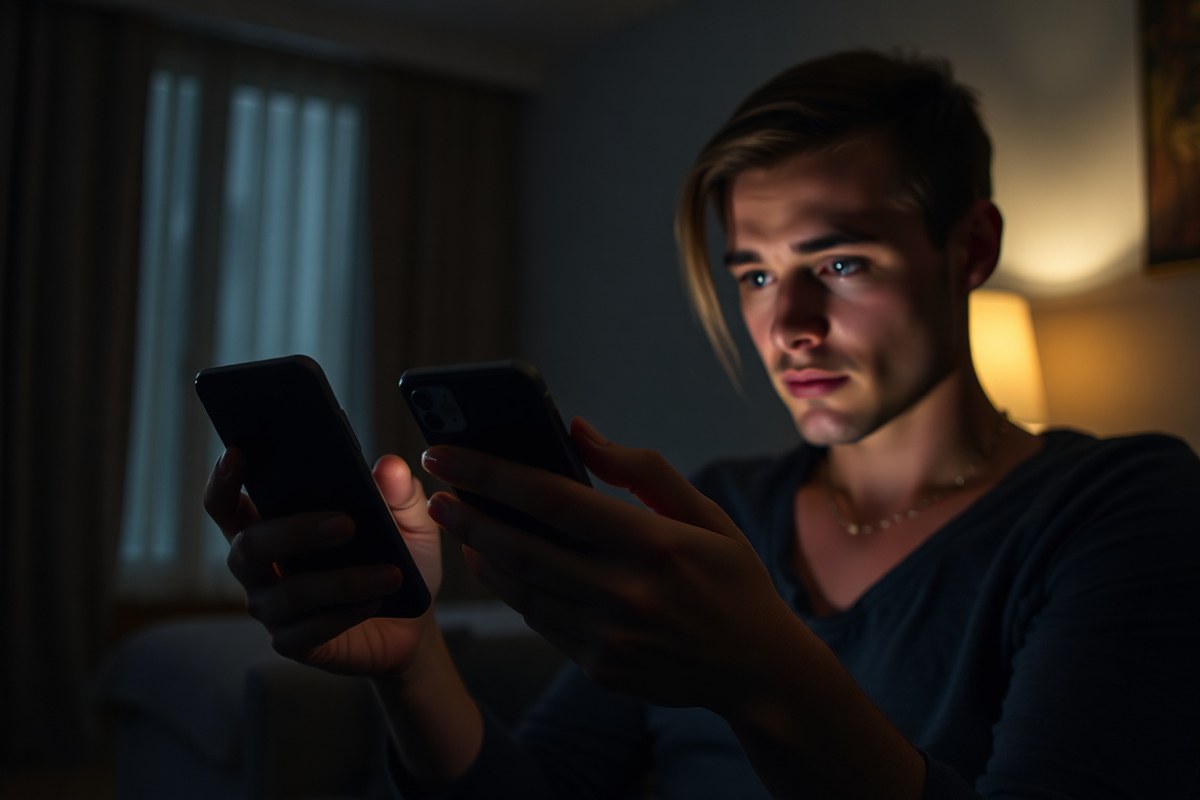
- Stay calm and breathe deeply. Panic makes it hard to think clearly. Count to ten before doing anything else.
- Stop responding to the blackmailer. Talking can make things worse or encourage them. No matter what they say, don’t reply.
- Take screenshots of every message immediately. Capture all threats, dates, and contact info. Save these to a secure place outside your phone or computer.
- Do not pay or send money. Paying often makes blackmailers demand more. It doesn’t stop the threat or guarantee safety.
- Tell a trusted friend, family member, or counselor. Sharing helps you get support and advice. You don’t have to face this alone.
- Check your online accounts and change passwords. Secure email, social media, and cloud services first. Use strong passwords and two-factor authentication if possible.
- Call 911 if you feel in danger. Threats sometimes escalate to harm. Emergency services can protect you if needed.
Getting a threat to leak your private pictures is frightening. Your first job is to stay calm and not act out of fear. Panic can cause mistakes you might regret later, like responding or paying money.
Ignoring the blackmailer feels hard because you want to stop them fast. But answering just gives them power. Taking screenshots protects you if you need to involve the police or other helpers.
Next, reach out to someone you trust. Support makes a huge difference. It’s easier to make good decisions and plan your next steps when you have help.
Securing your online accounts quickly can stop an attacker fast. It blocks them if they try hacking. It also protects against them stealing more data.
Strong passwords with a mix of letters, numbers, and symbols work best. Turning on two-factor authentication adds another safety layer.
Remember, in serious cases or if you feel unsafe, call 911 or emergency contacts immediately. Handling threats to your privacy takes care and clear thinking. Taking these first steps can keep you safer and help you regain control.
2. How to Verify If the Threat Is Real or a Bluff

Start by checking if the person really has your private pictures. Ask them to prove it without sharing the full images.
For example, they may send a small, unclear detail. They might also send a low-resolution crop hiding your face.
Scammers often bluff to scare you even if they don’t have your pictures. They might claim to have images they never obtained.
Don’t give in just because they say so. Ask for proof that won’t expose your privacy further.
Pay attention to when the photos were taken or sent. Recent sharing makes the threat likely real or soon becoming real.
Old photos you never shared are harder to get. Still, don’t ignore any threats you receive.
Ask them to send a tiny, unclear snippet that confirms control. This snippet should not be shareable.
Refusing to send proof may mean they are bluffing. But don’t accept sharp or full images, even small pieces can harm your privacy.
Beware if the person making threats mixes pressure with kindness or insists on secrecy. This often shows a real risk.
People who pressure you to pay usually keep asking for more money later. So don’t meet their demands just to check.
Seeing no proof does not mean the threat is fake. Some blackmailers don’t want to risk showing anything that could identify them.
Assume the worst to stay safe. Quickly limit who can access your accounts or devices.
The cost of verifying proof this way is mainly your time and careful communication. Don’t share anything new.
Watch how they respond. An honest person with your images might not want to lose trust or risk exposure themselves.
Never send any new pictures to the blackmailer, even as “proof.” It can worsen the situation.
3. How to Secure Digital Evidence Against Blackmailers
Keep all digital proof of the threats to support legal or police action. Collect messages, images, usernames, and links carefully. Store these safely and back them up for easy retrieval.
Types of Evidence to Collect
Save every message or email with threats or blackmail demands. Capture images or videos they threaten to share. Note their usernames, phone numbers, and any payment details they give.
Also save URLs where pictures or videos might appear online. Keep original files like emails in their full format. Avoid deleting or altering any communication, even painful ones.
You can use a checklist to track your evidence:
- Threatening messages and emails
- Images or videos shared by the blackmailer
- Usernames and phone numbers
- Payment accounts or contact info
- URLs where content appears
- Dates and times of all communications
Safe Methods to Capture Screenshots and Messages
Take clear screenshots showing the whole conversation, including timestamps. Use your phone’s native screenshot tool for best quality. Avoid cropping details like usernames or dates.
For long chats, capture multiple screenshots to show the whole threat. Save screenshots as image files or PDFs immediately, not just in your gallery. Consider forwarding messages to a secure email account for backup.
Don’t share these screenshots unnecessarily. Keep them confidential to avoid leaks or further blackmail risks. Use a password-protected device or encrypted storage app if possible.
Best Practices for Organizing and Backing Up Evidence
Store all evidence in clearly labeled folders by date and type. Use your phone, computer, or a cloud service with strong security features. Keep one backup offline, such as on an encrypted USB drive.
Use strong passwords for devices and accounts holding your evidence. Avoid saving evidence on shared or public devices. Keep a written log of all actions taken with your evidence.
Include when you saved it. Also, note where you saved it.
Regularly update backups to include any new evidence. This keeps files safe if your device is lost or hacked. Protecting this evidence helps support your case with police or lawyers.
4. Steps to Strengthen Your Online Account Security
Start by changing your passwords on every online account linked to your email. Use passwords that mix upper and lowercase letters, numbers, and symbols. Avoid reusing old passwords or easy patterns like “123456” or “password.”
A strong password roughly has 12 characters and feels random. Change passwords right after any threat or signs of hacking.
Two-factor authentication, or 2FA, adds a second step to logging in. Besides your password, you enter a code sent to your phone or generated by an app. This stops others from entering even if they have your password.
Check your account settings for “Two-Factor Authentication” and follow instructions to turn it on. It usually takes only a few minutes and is free.
Watch for signs of unauthorized access. Look for login alerts. Check emails about password changes or unknown devices.
Review your account activity under security or login history in settings. Change your password right away when something seems off.
Log out from all devices. Also, remove any apps or services you don’t recognize that have account access.
- Use a password manager to create and store strong passwords.
- Enable 2FA for social media, email, and cloud storage accounts.
- Check login histories for unknown devices or locations.
- Log out remotely from all sessions if unsure about access.
- Avoid security questions with info found publicly online.
- Update passwords at least every six months or after a threat.
After securing your accounts, consider blocking the threatening user to stop further contact. Some platforms let you report threats directly to help remove harmful content or suspend offenders.
These steps prevent the blackmailer from continuing harassment or targeting others. Always save any suspicious messages or emails before deleting them.
Sometimes hackers access cloud storage to get photos or files. Check storage settings for shared files or links, and disable any you don’t recognize. Backup important files elsewhere before any changes.
Regularly reviewing app permissions and connected devices tightens account security further. These actions reduce your risk of future breaches.
5. Legal Protections and What Actions You Can Take
You have legal protections against non-consensual sharing of private pictures. Laws often criminalize sharing or threatening to share intimate images without permission. Many states in the US treat this as a crime, especially if the internet is involved.
Deciding when to report depends on your situation and urgency. You can file a report with the police if you face blackmail, threats, or actual leaks. Law enforcement can investigate and may offer protection or arrest the offender.
Civil and criminal options sometimes overlap. Criminal charges punish the offender and may stop further harm. Civil cases let you seek damages and get court orders to remove photos or stop abuse.
Here is a table to quickly compare who to report to and how:
| Who | Where to Report | Notes |
|---|---|---|
| Anyone | FBI Tips, Call 1-800-CALL-FBI (225-5324) | FBI’s sextortion page lists resources for threats and blackmail. |
| Anyone | FBI Internet Crime Complaint Center (IC3) | File sextortion complaints online with guidance. |
| Anyone | Your local police station | Local law enforcement can investigate and offer direct help. |
| Under 18 or parent | NCMEC CyberTipline, Call 1-800-THE-LOST | Specialized support for minors facing online exploitation. |
Knowing exactly who to call saves time and ensures your problem goes to the right place. You might want to start by contacting the FBI or local police.
They are reliable places to look for help. For people under 18, the CyberTipline is the better choice.
You should include all evidence you collected when reporting. Screenshots with timestamps and any messages matter. This helps the authorities build a solid case against the blackmailer.
Courts can order the removal of images online and bar the abuser from contacting you. They may also award damages for emotional distress and other harm. Legal advisers know online abuse laws well.
They can guide you. You’ll get advice based on your specific case.
Keep detailed records and report threats quickly. Delaying a report can weaken your legal case.
6. How to Report Threats and Remove Leaked Images Online
Start by reporting the threat to the social media platform where the images appear. Use government services to request quick removal under the TAKE IT DOWN Act. Also, ask search engines to remove the images from search results to reduce spread.
Reporting to Social Media and Hosting Platforms
Find the reporting or help section of the social media page or website hosting your images. This is where you officially request content removal. Platforms like Discord, Reddit, Facebook, or Instagram usually have specific tools for reporting non-consensual images.
Send a clear message to moderators or web administrators. Explain the content was shared without your consent.
Make your message direct and simple. Stay calm and include as many details as possible, like links and usernames.
Many platforms remove intimate images within 24 to 48 hours after a valid report. You can also contact moderators directly by e-mail if a faster response is needed.
Using the TAKE IT DOWN Act and Similar Services
The TAKE IT DOWN Act requires covered platforms to remove non-consensual intimate images within 48 hours. This law applies federally since May 19, 2026. It also covers identical copies of those images known to the platform.
Contact platforms under this law by submitting a formal removal request. They must respond quickly, or you can escalate your complaint to the Federal Trade Commission (FTC).
UK and Scottish laws offer ways to remove content. Laws like the Civic Government (Scotland) Act 1982 apply.
These laws work alongside federal rules. Privacy injunctions can also discourage hosting or re-posting.
Requesting Removal from Search Engines
Search engines don’t delete images but can remove results that link to them. Removing search engine results makes your images harder to find.
Report the URLs where your images appear directly to Google, Bing, or other search engines. Use their online content removal tools focused on non-consensual and intimate materials.
This step usually takes a few days or up to a week. Timing depends on the search engine’s review process.
Be patient as they check your request. It’s worthwhile because it reduces the chance of others stumbling on the photos.
- Locate the social media platform’s content reporting tool or help center.
- Describe the non-consensual nature of the images clearly and submit a takedown request.
- Contact platform moderators or website administrators directly if the automatic process stalls.
- Use the FTC’s TAKE IT DOWN Act online portal to file a formal complaint if needed.
- Request privacy injunctions if you want to prevent further sharing and re-hosting.
- Report URLs linking to your images on search engines to remove them from results.
- Document every report and correspondence to track progress and escalate if required.
7. Dealing with Ongoing Harassment and New Contact Attempts
Blackmailers often use new accounts to keep threatening you. Each time you spot a new contact, block that account immediately. Platforms like Instagram and Facebook let you report those accounts for harassment as well.
Keep reporting every new account that reaches out with threats or tries to share your pictures. This builds a record of repeated harassment for the platform and authorities. Use the reporting tools on the sites or apps where the accounts appear.
Blocking alone might not stop them. Reporting is key because it alerts platforms and sometimes triggers removal or bans. After reporting, save all messages and threat details before blocking to keep evidence safe.
Some blackmailers may switch to different messaging apps or email addresses. Check your privacy settings to limit who can contact you and block unknown senders. Avoid replying to new threats, but don’t ignore any fresh harassment without reporting.
When you find your pictures online, check how to report revenge porn there. Each website has a reporting process you need to follow. Take action quickly to remove the images and protect your privacy.
Search “report revenge porn on [site name]” to find the precise removal instructions. Reporting fast helps get content taken down before more people see it.
Continued threats after blocking need more action. Contact local police or file a report with the FBI’s IC3. They can help track the harasser using your saved messages and account info.
Stopping new harassment can take time and repeated action. Consistently block and report each new attempt. Use built-in social media privacy features to reduce risk.
Feeling overwhelmed is normal. Talk to close friends or get professional support to handle it better.
8. How to Protect Your Privacy to Prevent Future Threats
Start by adjusting privacy settings on all social accounts to the strictest level. For Facebook, Instagram, and TikTok, set your profiles to private. Only approved friends can see your posts and photos then.
This keeps your content more secure from strangers. This step limits who can access your content and lowers the chance private photos leak.
Think carefully before sharing any photos online or through messaging apps. Even sending a private photo to someone does not prevent them from sharing it elsewhere. Avoid sending intimate pictures unless you fully trust the receiver and have discussed privacy boundaries.
Control what personal details you share online. Limit your digital footprint by removing phone numbers, addresses, and birthdates from social profiles. Sharing less info makes it harder for others to use your data.
It protects you from being threatened or doxxed. Keep personal details on social media to yourself.
Never assume a photo sent privately stays private; trust carefully and use privacy locks.
- Review and update privacy settings regularly, at least every few months.
- Use two-factor authentication on accounts to prevent hacking.
- Delete any old or unused accounts that still hold your photos or data.
- Ask friends not to share your private pictures without permission.
- Use encrypted messaging apps when sharing sensitive photos.
- Check search engines for your images to find unauthorized postings.
Besides social media, secure cloud backups and devices by using strong passwords and encrypted storage. Backups help if you lose control of pictures but should be locked tight to avoid leaks. Monitor where your photos appear online and act fast to report unauthorized posts.
When you reduce the personal data and tighten privacy, you lower the risk of future threats. Taking these steps might take some time and attention. But it puts control back in your hands and makes blackmailers less likely to succeed.
9. Where to Find Emotional Support and Professional Help
You need strong emotional support and professional help if someone threatens to leak your pictures. Talk to trusted friends or family members who can listen without judgment. You also want experts who understand the laws and emotional fallout of image-based abuse.
Crisis and Suicide Prevention Helplines
Threats to share private pictures can cause extreme stress and feelings of isolation. Calling a crisis helpline can bring immediate, nonjudgmental emotional support. These helplines are free and available 24/7 to anyone in the U.S.
For urgent help, call or text the 988 Suicide & Crisis Lifeline. Their trained counselors offer confidential support for anxious or hopeless feelings. You can also chat online at 988lifeline.org.
You can text “THORN” to 741741 for crisis help. This connects you with a counselor via text. It’s good if you don’t want to talk on the phone.
Victim Advocacy Organizations
Specialized victim advocates can guide you through emotional and practical challenges. The Cyber Civil Rights Initiative offers a crisis helpline. It supports victims of image-based abuse.
They provide helpful resources to guide you. Call 844-878-2274 for support and advice that isn’t legal help.
These advocates often connect victims with counseling, legal aid, and support groups. Having someone on your side who understands these issues reduces isolation and shame. They can also help you plan steps to stay safe and protect your privacy.
Here are some common types of support these organizations offer:
- One-on-one emotional support and validation
- Help understanding laws and reporting options
- Safety planning for harassment or retaliation
- Referrals to therapists who specialize in trauma
- Support groups for victims of image-based abuse
- Education on digital privacy and security
Legal and Counseling Professional Services
Talking to a professional counselor helps with anxiety, shame, and depression after threats. Look for therapists experienced with trauma and online abuse. Sessions may cost $50 to $250 each and can often be covered by insurance.
Get a lawyer who knows digital abuse and privacy law soon. Acting fast helps protect your rights. Don’t delay if threats feel real.
They can help you understand your rights and legal options. Lawyers may draft cease-and-desist letters or assist in reporting to law enforcement.
Many legal professionals offer free consultations to victims. Ask about their experience with nonconsensual photo sharing cases. Having expert guidance prevents costly mistakes and protects your safety and reputation.
Your First Steps: A Quick-Start Plan to Handle Threats
Take control right away to protect your privacy and safety. Follow these steps to act fast and feel safer.
- Immediately: Stop all contact with the person threatening you. This prevents giving them more power and buys you time.
- Within a few hours: Screenshot all threatening messages and save them outside your phone or computer. This secures evidence you need later.
- Same day: Change passwords and turn on two-factor authentication for all your accounts. Check email, social media, and cloud storage for breaks.
- Within 24 hours: Report the threat to the website or platform hosting any leaked images. Use their abuse or report tools to request removal.
- Within 48 hours: Contact local law enforcement or a victim support group experienced in image-based abuse. They can guide your next moves.
- After 2 days: Block the harasser on all your accounts. Adjust your privacy settings. Keep your profiles private to stay safer. Check for any new unauthorized accounts.
- After 1 week: Find trusted support from counselors or hotlines. They can help you handle stress. You don’t have to face this alone.
Frequently Asked Questions
Can I Call the Police If Someone Threatens to Leak Pictures of Me?
Yes, you can call the police because this is often illegal. Reporting it helps start a legal case and protect you from harm.
What Should I Do If the Pictures Have Already Been Leaked Online?
Act quickly to report the images to website owners and law enforcement. Use online tools to request removal and document everything for evidence.
Is Paying the Blackmailer a Good Way to Stop Threats?
No, paying often worsens the situation and encourages more threats. Don’t send money or images; instead, block the person and report the threat.
How Can I Stop My Ex-Partner from Threatening to Share My Pictures?
You can seek a protective order or legal help to prevent further threats. Document all harassment and avoid direct contact for your safety.
Are Threats to Leak Pictures Considered a Crime Everywhere?
Laws vary by state but many places treat this as harassment or sextortion. Check local laws and report to police for the best protection.
Before You Go
Protecting yourself from threats to leak pictures is urgent. You must act step by step. Don’t delay taking these important steps.
Start by cutting off contact and saving proof today. Taking these actions helps you stay safe and regain control.