How To Program 4runner Garage Door Opener – Made Easy
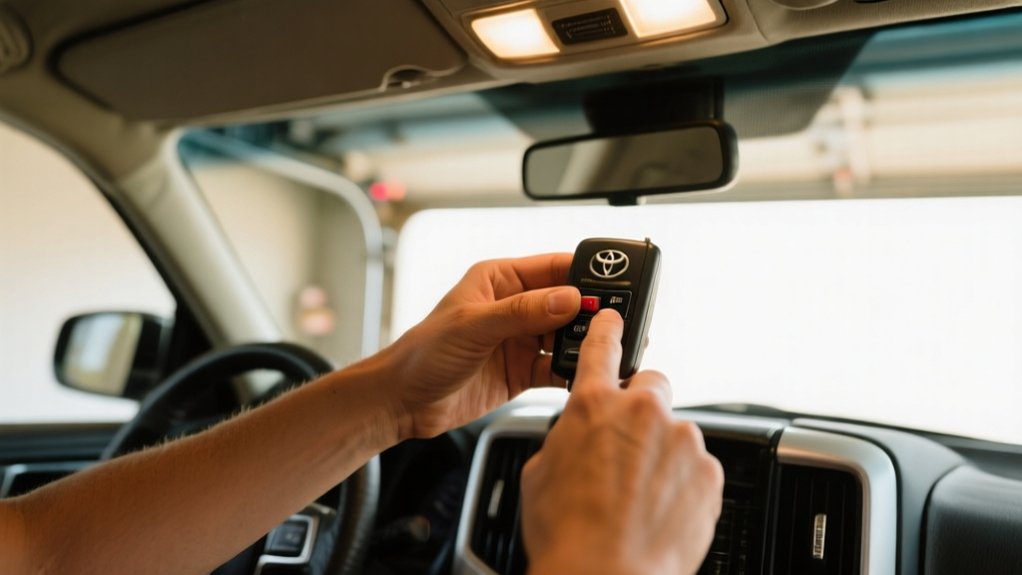
To program your 4Runner garage door opener, start by locating the HomeLink buttons near the rearview mirror. Make sure your remote has fresh batteries before you begin.
Press and hold a HomeLink button until the indicator light flashes slowly. Then, hold the garage door remote button until the light flashes rapidly.
Test the setup by pressing the programmed button near the door. If it doesn’t work, you might need to reprogram or reset using the HomeLink and garage opener “Learn” button.
You’ll find clear steps for troubleshooting and maintenance ahead.
Key Takeaways
- Locate the HomeLink buttons on the overhead console near the rearview mirror before starting programming.
- Press and hold the chosen HomeLink button until the indicator light flashes slowly to initiate programming.
- While holding the HomeLink button, press the garage door remote button until the light flashes rapidly to sync.
- Test programming by pressing the “Learn” button on the garage door opener and then the HomeLink button in the vehicle.
- Reset by holding the two outer HomeLink buttons for 10 seconds until the light blinks rapidly for fresh programming.
Locate the HomeLink Buttons and Prepare Your Remote
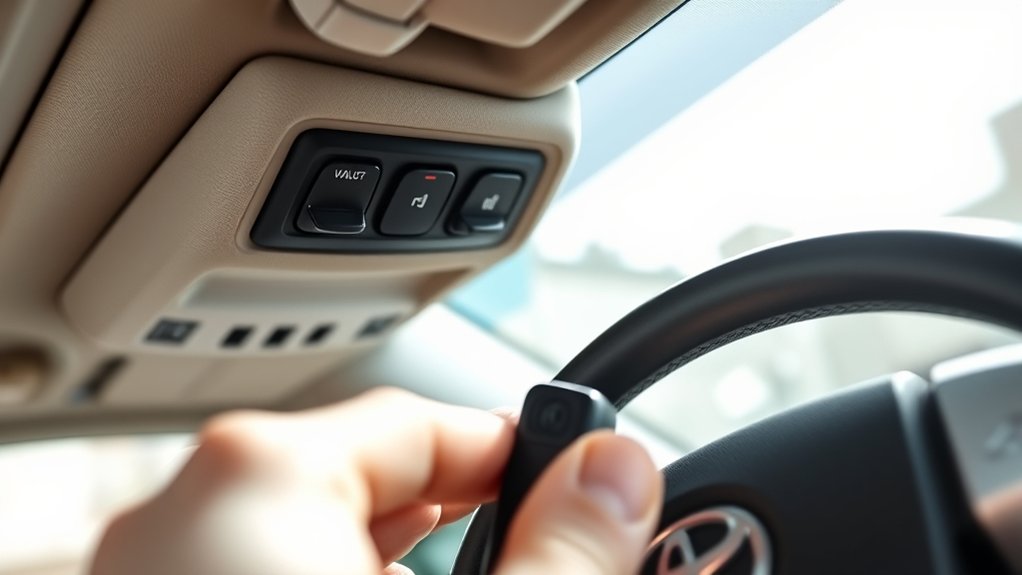
To start programming your 4Runner’s garage door opener, locate the HomeLink buttons on the overhead console, usually near the rearview mirror. These buttons control compatible garage door systems and are your first step.
Next, make sure your garage door remote is working and within reach. Having a functioning remote is essential for successful programming. Check that the batteries are charged and the remote operates properly.
Ensure your garage door remote is functional and nearby before starting the programming process.
Familiarize yourself with the specific HomeLink button you plan to program. Knowing which button to use will make the process smoother. Don’t proceed until you have these components ready to avoid interruptions.
Once you’ve identified the buttons and prepped your remote, you’re ready to start programming. This will ensure a seamless connection between your 4Runner and your garage door system.
Program Your 4Runner Garage Door Opener
With your HomeLink buttons identified and your remote ready, you can start programming your 4Runner’s garage door opener. Just follow these steps carefully:
First, press and hold the chosen HomeLink button until the indicator light flashes slowly, indicating you’re in programming mode.
While holding that button, press and hold the garage door remote’s button. Keep holding both until the HomeLink light flashes rapidly, then release both buttons.
The quick flashing confirms that your 4Runner has learned the signal from your remote.
If the indicator light doesn’t flash as expected, check your vehicle’s owner’s manual for specific troubleshooting tips.
This process ensures your 4Runner’s HomeLink system syncs with your garage door opener, allowing smooth operation.
Test Your Garage Door Opener
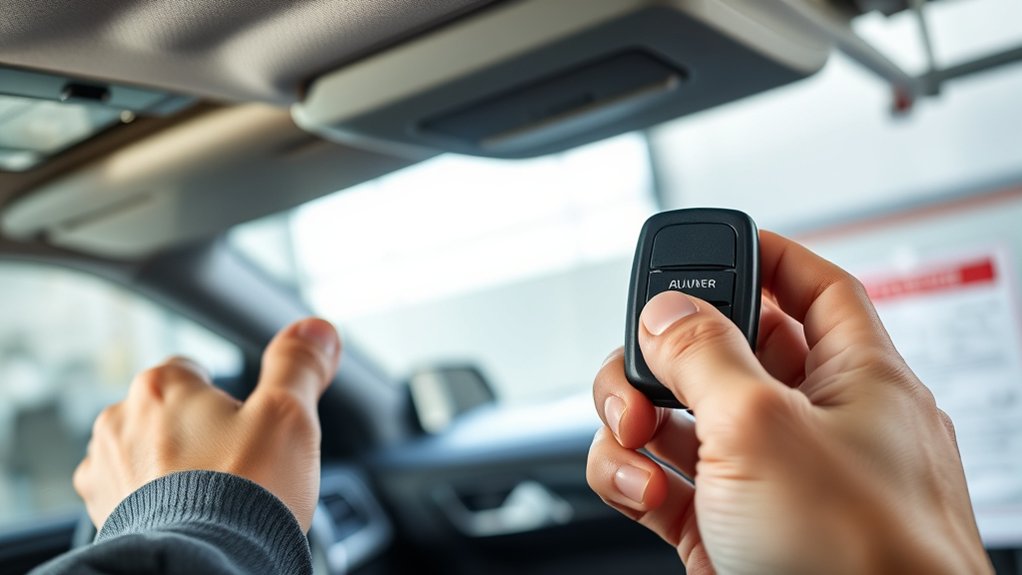
One important step after programming your 4Runner’s garage door opener is testing if it works properly. Park your vehicle within range of the garage door with the engine running to ensure the signal is strong enough.
Press and hold the “Learn” button on the garage door opener until the indicator light turns on, showing it’s ready. Then, go back to your 4Runner and hold the programmed button for up to 30 seconds. If the door moves, that means the programming was successful.
If it doesn’t respond, check the car battery and make sure you’re within range. Repeat the process if needed. Regular testing helps keep your garage door opener reliable.
Reprogram or Reset Your Garage Door Buttons
To reprogram your 4Runner’s garage door buttons, first find the HomeLink button—it’s usually on the overhead console or sometimes on the sun visor. Once you’ve got it, press and hold the button you want to program while also pressing the “Learn” button on your garage door opener. Keep an eye on the indicator light; it should start blinking, which means your garage door opener is in learn mode.
If you ever need to reset the buttons, just hold down the two outer HomeLink buttons for about 10 seconds. Keep holding until the light starts blinking rapidly—that’s your signal that everything’s been reset and ready for a new program.
Resetting Garage Door Buttons
Although programming your 4Runner’s garage door opener buttons might seem complicated, resetting them is pretty simple. To reset, find the opener button inside your 4Runner’s overhead console near the rearview mirror.
Then, press and hold the button for about 20 seconds until the indicator light blinks rapidly. This signals that it’s ready for new programming.
Follow these steps to reset easily:
- Locate the garage door opener button inside your vehicle’s overhead console.
- Press and hold the button for 20 seconds until the light flashes quickly.
- After resetting, use your garage door remote to program the new code according to the manufacturer’s instructions.
- Make sure you’re within range of the garage door opener during programming.
Finally, test the button to confirm everything works properly.
Reprogramming Step-by-Step Guide
After resetting your 4Runner’s garage door opener buttons, you’ll need to reprogram them to get everything working again. Start by holding the desired “HomeLink” button until the indicator light turns on, then release it.
Next, press and hold your garage door remote button for 2 seconds while also pressing the HomeLink button. Keep doing this until the indicator light shifts from a slow blink to a rapid blink. Make sure your vehicle is within 1 to 3 feet of the garage door opener.
If things aren’t working, you can clear previous programming by holding the HomeLink button for 20 seconds until the light turns off. Then, just repeat the steps above. Always check your owner’s manual for model-specific instructions.
Troubleshoot Garage Door Opener Issues
Start by making sure your garage door opener works with your 4Runner’s built-in system. Some models need specific codes or certain programming methods.
If you’re having trouble, try these steps:
- Check the remote’s battery and replace it if it’s weak or dead to ensure the signal gets through.
- Remove any nearby electronic devices that might interfere with the communication between your 4Runner and the opener.
- Look at your 4Runner’s and opener’s owner manuals for detailed instructions on programming your specific models.
- Reset the garage door opener by unplugging it for a few minutes, then try programming again to clear any lingering errors.
Following these tips can help you quickly identify and fix common programming issues.
Use HomeLink for Multiple Garage Doors
Once you’ve confirmed your garage door opener communicates properly with your 4Runner, you can program HomeLink to control multiple doors. HomeLink supports up to three garage doors, each assigned to a different button.
To program, gather the original remote for each door. If you’re reprogramming, clear previous settings to avoid conflicts.
Start by collecting each door’s original remote, and clear past settings if reprogramming to prevent interference.
For each door, press and hold the desired HomeLink button and the remote button at the same time until the indicator light changes, signaling successful pairing. Repeat this process for each garage door, using a separate button for each.
After programming, test each button to make sure it opens the correct door. This setup makes controlling multiple entrances easy and eliminates the need to carry multiple remotes.
Erase All Garage Door Codes From Your 4runner
If you need to remove all programmed garage door codes from your 4Runner, press and hold the two outer HomeLink buttons until the indicator light flashes rapidly, which usually takes about 20 seconds. This quick flashing confirms all stored codes are erased. Make sure your vehicle is in the “Run” or “On” position during this process to ensure a successful reset. After clearing, you can program new codes as needed.
Follow these steps to erase all codes:
- Turn your 4Runner’s ignition to “Run” or “On.”
- Press and hold the two outer HomeLink buttons at the same time.
- Wait until the indicator light flashes rapidly, about 20 seconds.
- Release the buttons — all codes are now cleared.
This resets your HomeLink system for security or resale purposes.
Tips for Keeping Your Garage Door Opener Reliable
Although garage door openers are built to last, regular maintenance is key to keeping them reliable. First, check and replace your remote’s batteries often to avoid surprises.
Keep the garage door tracks clean and free of debris so the door moves smoothly and doesn’t jam. Lubricate all moving parts, like hinges and rollers, at least twice a year to reduce wear.
Test the safety sensors every month to make sure they’re working properly, since they’re crucial for preventing accidents. Also, use a surge protector to guard the opener against power surges and electrical damage.
Following these simple steps will help your garage door opener perform well and last longer, reducing downtime and costly repairs.
When to Contact Toyota Support for Garage Door Help
If your 4Runner’s garage door opener isn’t responding or if your programming attempts aren’t working, it’s a good idea to step back and figure out what might be going wrong. Sometimes, a little troubleshooting can solve the problem, but if you’ve tried everything and it’s still not working, it’s probably time to reach out for some help.
When basic troubleshooting doesn’t do the trick, don’t hesitate to contact Toyota Support. They’re there to provide expert guidance and can help you figure out if there’s a compatibility issue, clarify any features, or help you find any missing documentation. It’s always better to get professional support to ensure everything is set up correctly.
Identifying Garage Opener Issues
How can you tell when your 4Runner’s garage door opener needs professional help? Start by checking simple issues like remote battery health or if something nearby is interfering with the signal. If those are fine but problems keep happening, there might be a deeper issue.
Look out for these signs:
- The remote doesn’t respond even after you’ve replaced the battery.
- Nearby devices or structures are causing the signal to drop repeatedly.
- The garage door opener light flashes, which usually means a programming error. Check your manual for guidance.
- You see multiple sync failures or error codes on your vehicle’s display.
If you notice any of these, it’s a good idea to contact Toyota support. Persistent problems like the door not opening or closing properly could point to compatibility issues or electrical faults that need a professional diagnosis.
When Troubleshooting Fails
When your 4Runner’s garage door opener won’t program after several attempts, start by making sure your remote is compatible with your vehicle’s system. Check the battery and fuses too, since low power or blown fuses can stop the programming from working.
If the opener’s indicator light doesn’t flash during the process, that’s a sign something’s wrong with the vehicle’s system. At this point, trying to troubleshoot further on your own probably won’t help much.
If you keep having issues or the opener still doesn’t work after programming, it’s best to contact Toyota support. Their tech team can give you model-specific advice and diagnostics to get it sorted.
Don’t wait too long if basic checks don’t fix the problem. Getting professional help can identify faults quickly and guide you on repairs or replacements.
Accessing Toyota Support
Although many programming issues can be resolved by following the owner’s manual, you should contact Toyota Support whenever your 4Runner’s garage door opener fails to sync or the indicator light blinks continuously. Toyota Support provides expert assistance for complex problems beyond standard troubleshooting.
Contact Toyota Support if:
- The garage door opener fails to sync after following manual instructions.
- The indicator light blinks continuously, signaling programming errors.
- You suspect your garage door opener frequency is incompatible with your 4Runner.
- You have specific questions about the integrated garage door opener’s features or functions.
Reaching out guarantees you receive precise guidance tailored to your model year and system configuration, avoiding potential damage or further malfunction.
Additional Resources for 4Runner Garage Door Opener Users
Since programming the 4Runner’s garage door opener can vary by model and year, it’s a good idea to check out extra resources for a smooth setup. Start by looking at your 4Runner’s owner’s manual, which gives detailed steps for syncing the HomeLink system with your garage door opener.
Make sure your garage door opener supports rolling code technology. This is important for both compatibility and security. For visual help, there are plenty of online video tutorials that walk you through the programming process step-by-step.
Joining forums dedicated to 4Runner owners can be really helpful. Users often share tips and solutions based on their own experiences with similar issues. If you’re still having trouble, reaching out to your local Toyota dealership is a smart move—they have professionals who can troubleshoot your specific model and year for reliable programming and operation.
Frequently Asked Questions
Can I Program the Garage Door Opener Without the Original Remote?
Yes, you can program your 4Runner’s garage door opener without the original remote using the built-in HomeLink system.
Start by putting your vehicle in accessory mode, then press and hold the desired HomeLink button until the indicator blinks quickly. This indicates it’s ready to learn.
Usually, the original remote is needed to transmit the signal. However, some systems allow programming via the vehicle’s interface or manual steps, depending on your garage door opener model.
Will Programming Affect My Vehicle’s Warranty?
Programming your 4Runner’s garage door opener usually won’t affect your vehicle’s warranty because about 85% of manufacturers see it as a user-friendly feature.
Just make sure you don’t mess with any electrical systems when programming. Follow the owner’s manual carefully to avoid any malfunctions, since electrical issues during setup could cause warranty problems.
It’s a good idea to keep detailed records of your programming steps. That way, if you ever need to make a warranty claim, you’ll have proof of what you did.
Can Homelink Control Other Devices Besides Garage Doors?
Yes, HomeLink can control more than just garage doors. You can program it to operate gates, home lighting systems, and security systems, giving you versatile control from your vehicle.
It supports up to three devices, and you can customize each button for specific functions. HomeLink is compatible with most major brands and works with rolling code technology, ensuring secure communication with your connected devices.
How Long Does the Programming Process Usually Take?
Think of it like tuning a telegraph—programming your 4Runner’s garage door opener takes about 5 to 10 minutes. You’ll want your garage door remote and vehicle key fob nearby.
Pressing specific buttons on the HomeLink system, usually in the overhead console, and syncing them with your remote takes just a few seconds of holding buttons until the indicator light confirms success.
The whole process is quick, simple, and straight to the point.
Is There a Battery Replacement Needed for the Homelink System?
You typically don’t need to replace the HomeLink system battery in your 4Runner because it’s designed to last the vehicle’s lifetime.
However, if you notice it’s not responding or acting up, a battery replacement might be needed. Check your owner’s manual for step-by-step instructions.
The battery is usually a standard CR2032, which is easy to find. Always make sure your vehicle is in the “Run” position when troubleshooting or programming the system to ensure everything works properly.
Conclusion
Programming your 4Runner’s garage door opener isn’t just about convenience. It’s also about security and efficiency. Some people think it’s complicated, but following these steps makes it simple.
If you run into problems, resetting or reprogramming usually fixes them quickly. Regular maintenance helps keep your system working reliably. Knowing when to reach out to Toyota support ensures you get expert help when needed.
Master these techniques, and you’ll have seamless garage access with confidence and ease.